Product family + format
Compare flavors in one place.
Group flavors under family + format instead of one large card per variant—less scanning, easier comparison.
Ecommerce product design
Isagenix / Pack configurator
Redesigning the pack configurator experience to make a multi-category pack easier to review, customize and complete—on desktop and mobile.
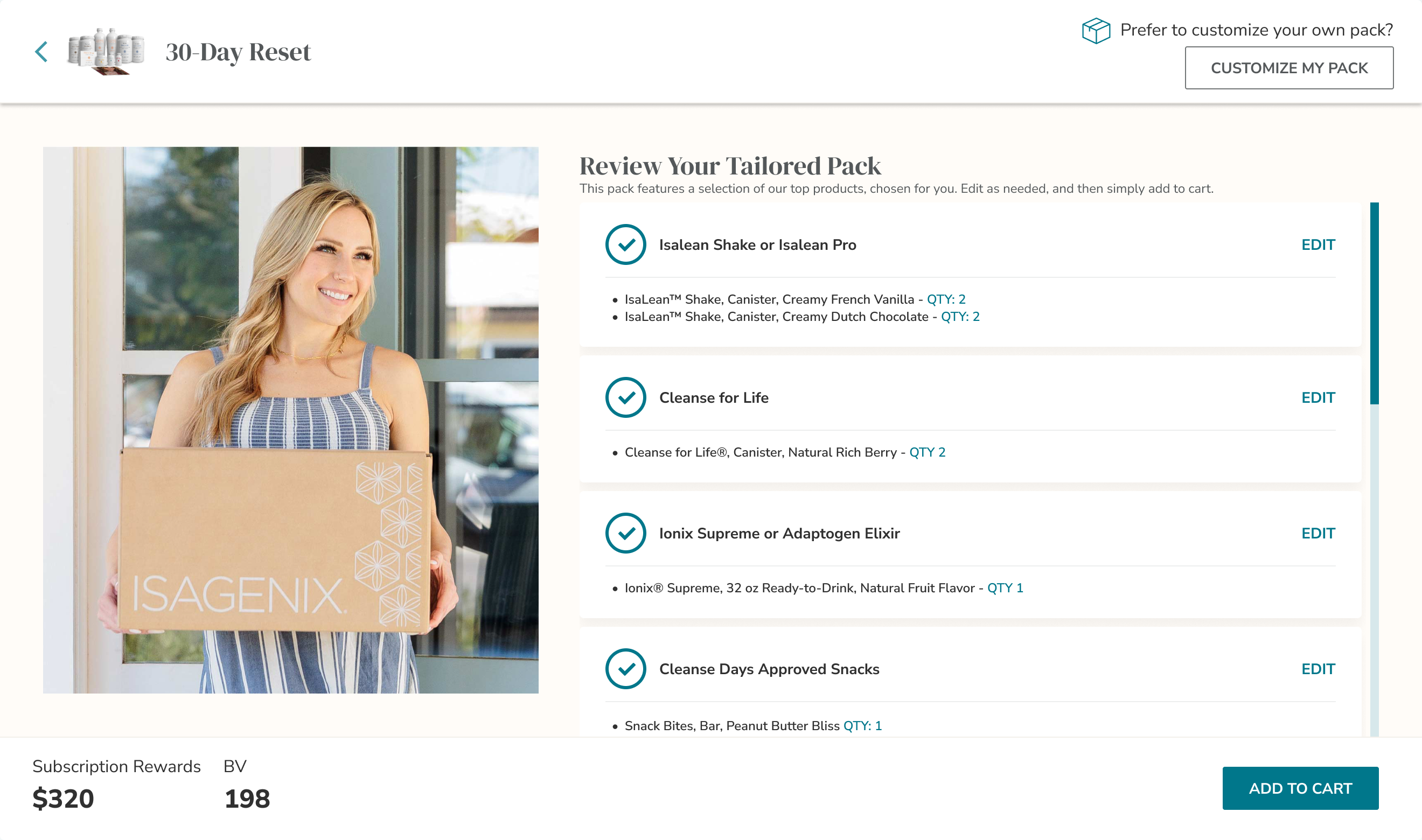
After / Desktop review
After / Mobile review
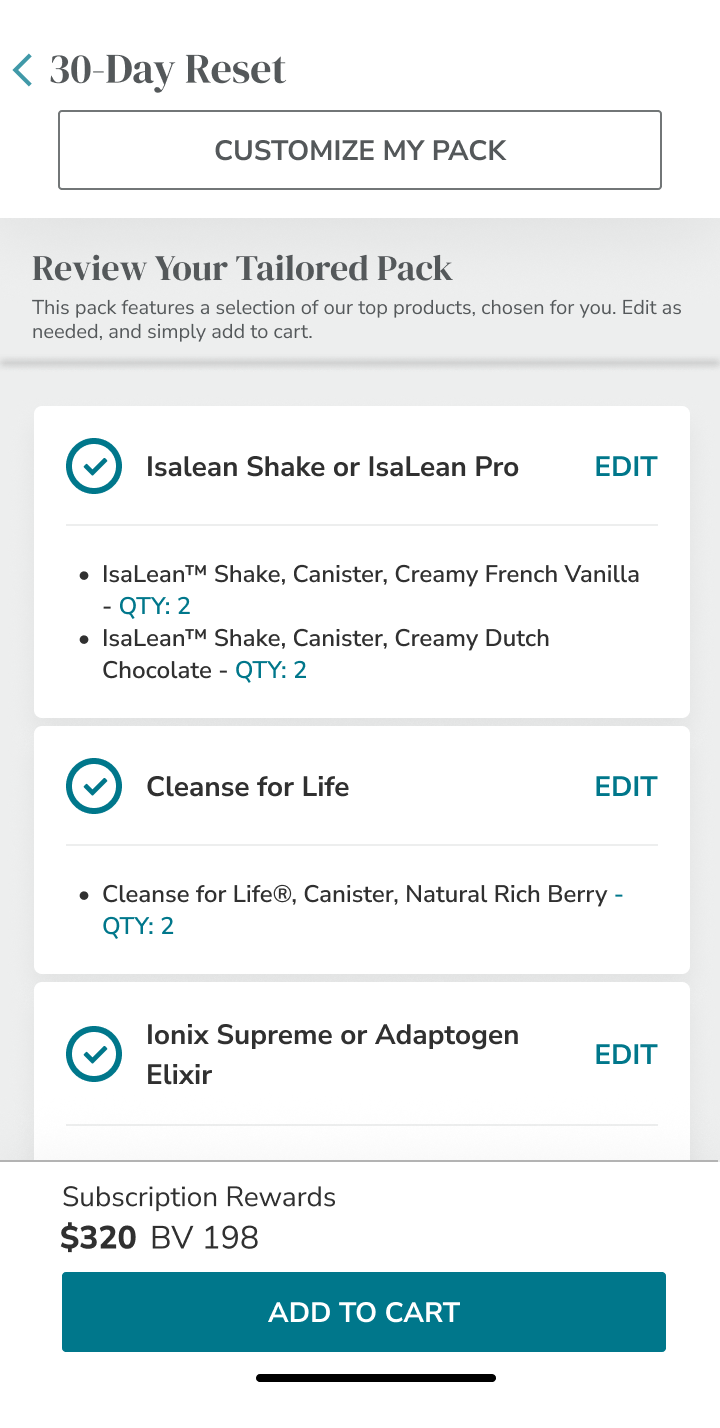
The redesigned tailored-pack review. One pack, two layouts—each composed around its screen.
01 / The Challenge
The 30-Day Reset is not a single product choice. It is a pack with four configurable categories, required quantities and included products. Choices span formats and flavors, and some options cost extra.
4
Shakes
IsaLean Shake or IsaLean Pro
2
Cleanse
Cleanse for Life
1
Ionix / Adaptogen
Ionix Supreme or Adaptogen Elixir
1
Approved snacks
Cleanse Days Approved Snacks
Also included: IsaFlush, Natural Accelerator, the 30-Day System Booklet and the 30-Day Reset Topper. These are part of the pack, not additional configurable categories.
02 / Desktop: Before → After
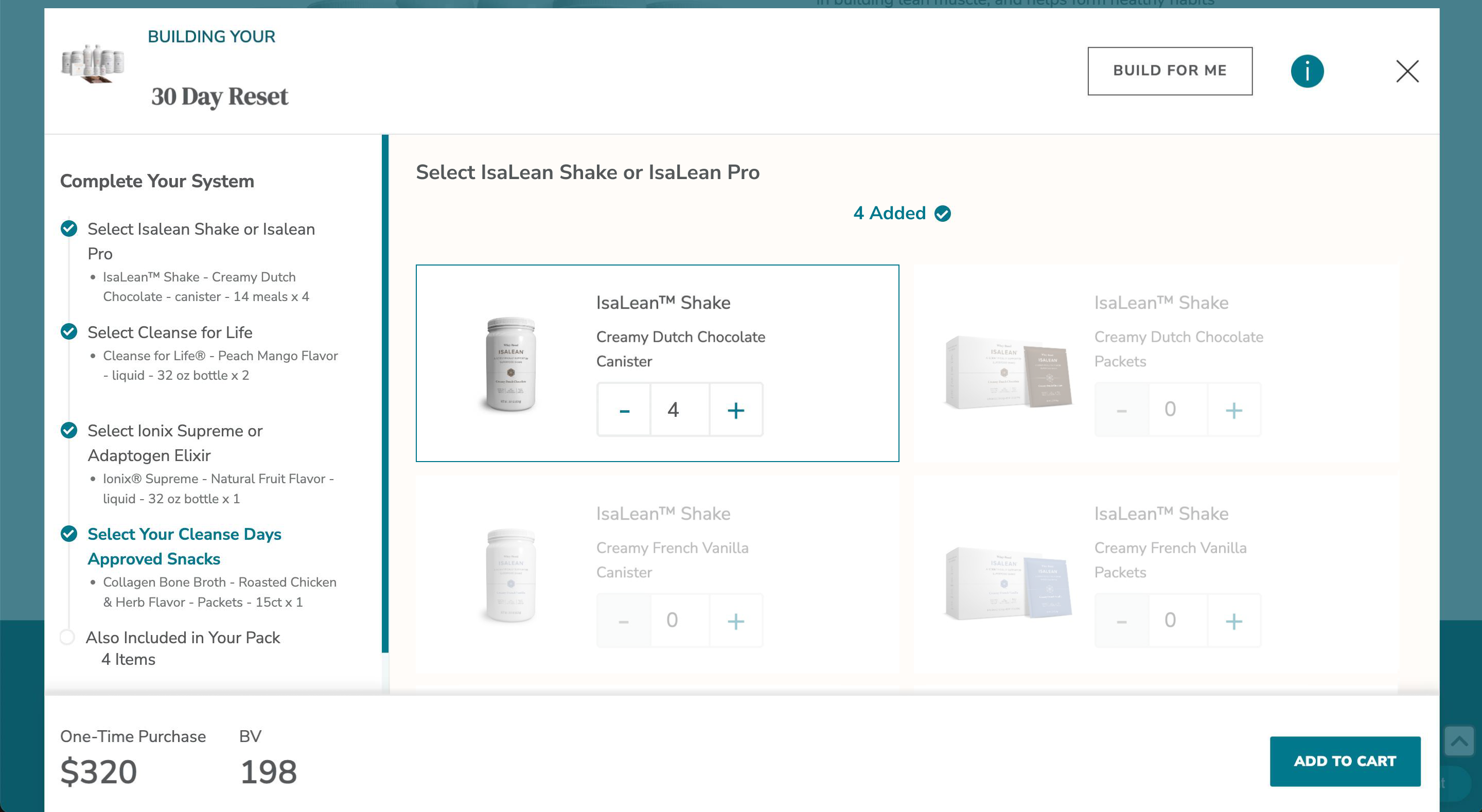
A narrow checklist and repeated product cards competed for space inside a modal. The redesign separates the active choice from a larger pack summary.
Before / Modal configuration
After / Dedicated configuration
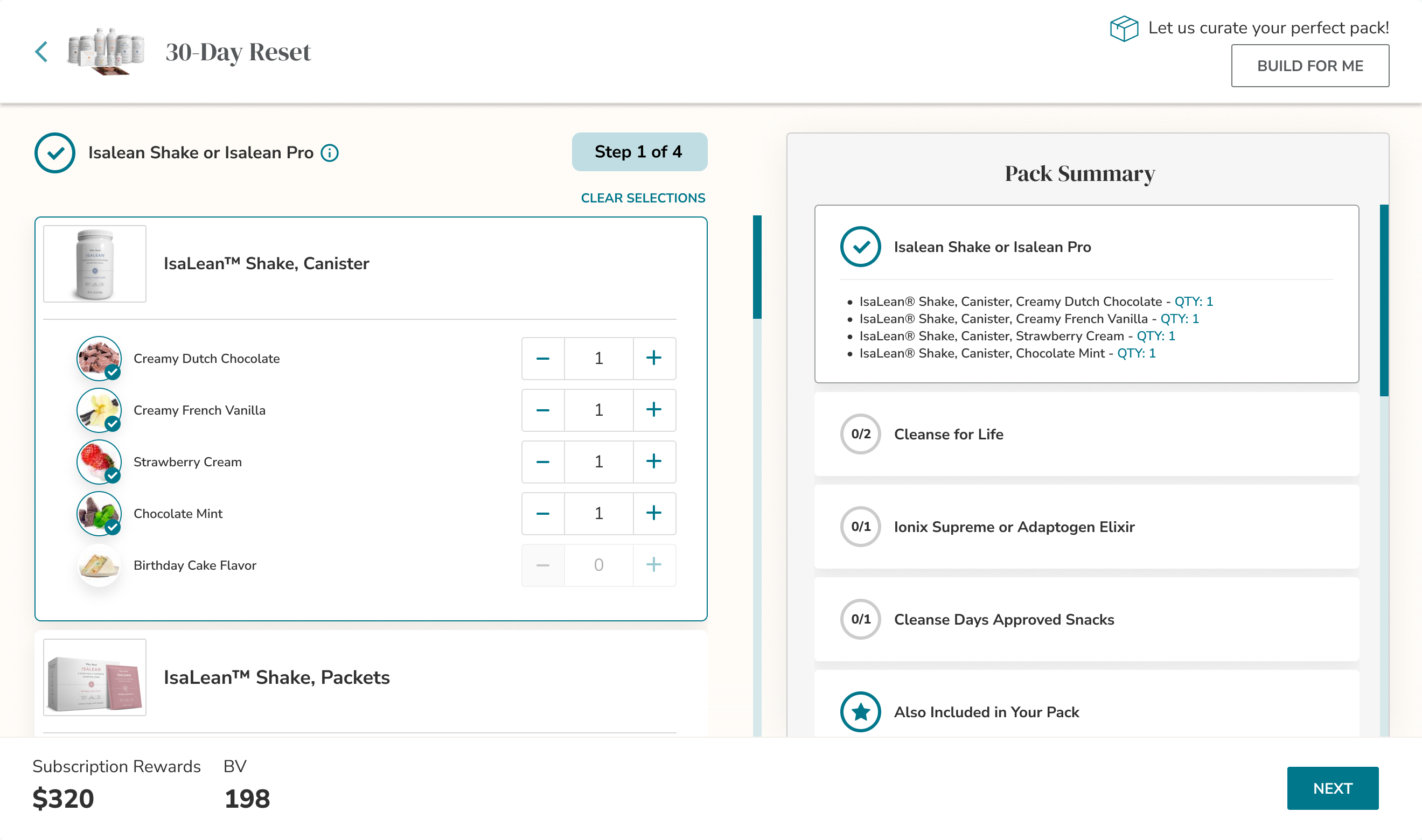
Dedicated layout; the checklist evolves rather than being reinvented.
Focus stays on the active choice without removing progress, quantities, or price.
03 / A ready-to-review starting point
Entry becomes explicit: accept the tailored pack, edit one category, or start a full custom path.
After / Tailored-pack review
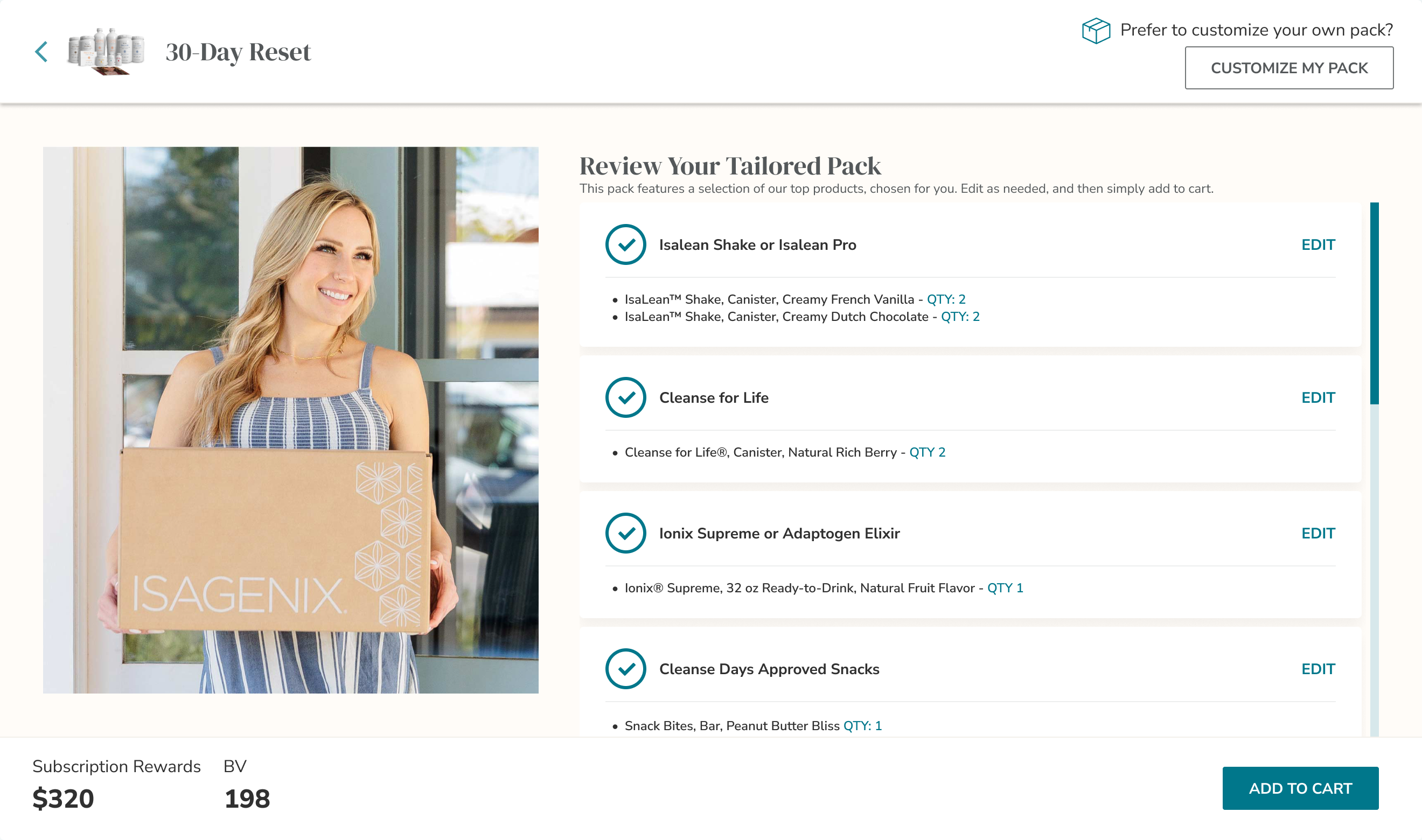
Edit stays category-level; full customize remains available.
Accept and continue, or edit preferences without rebuilding from scratch.
This is a change in entry emphasis, not a claim that curated packs were unavailable in the original design.
04 / Group choices. Clarify progress.
Shakes show the pattern: family and format group the options; flavors and quantities live inside that group.
After / Step 1 completed
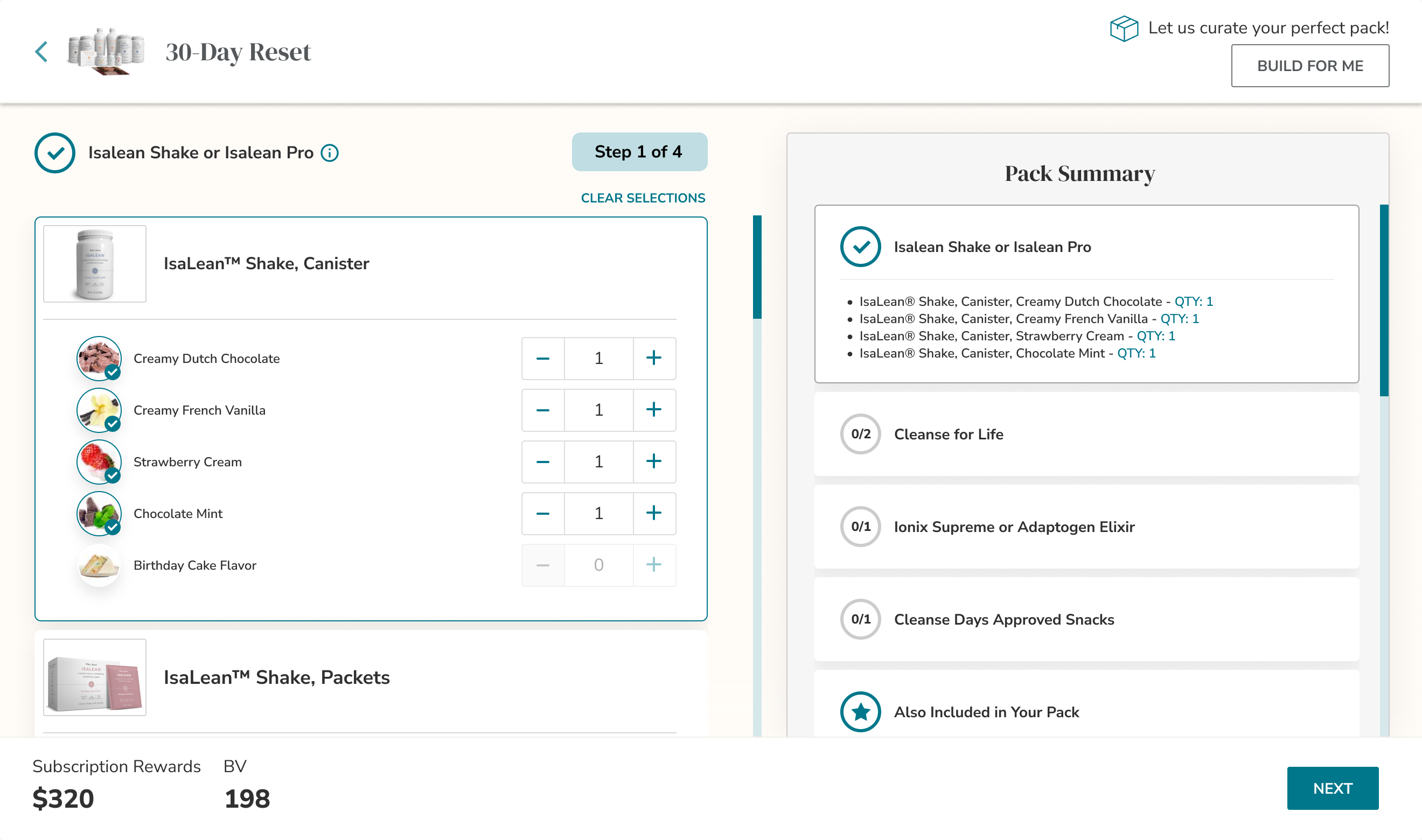
Product family + format
Group flavors under family + format instead of one large card per variant—less scanning, easier comparison.
Step 1 of 4
Step and selected/required count sit beside the active choices so remaining work stays visible.
Completed feedback
Flavor selection and Pack Summary completion tell one progress story.
Design rationale only—not measured results. Progress is made more explicit and closer to the decision.
05 / Price and control, in context.
Price was already visible. Option costs and reset consequences move closer to the action that creates them.
Detail / Local option upcharges
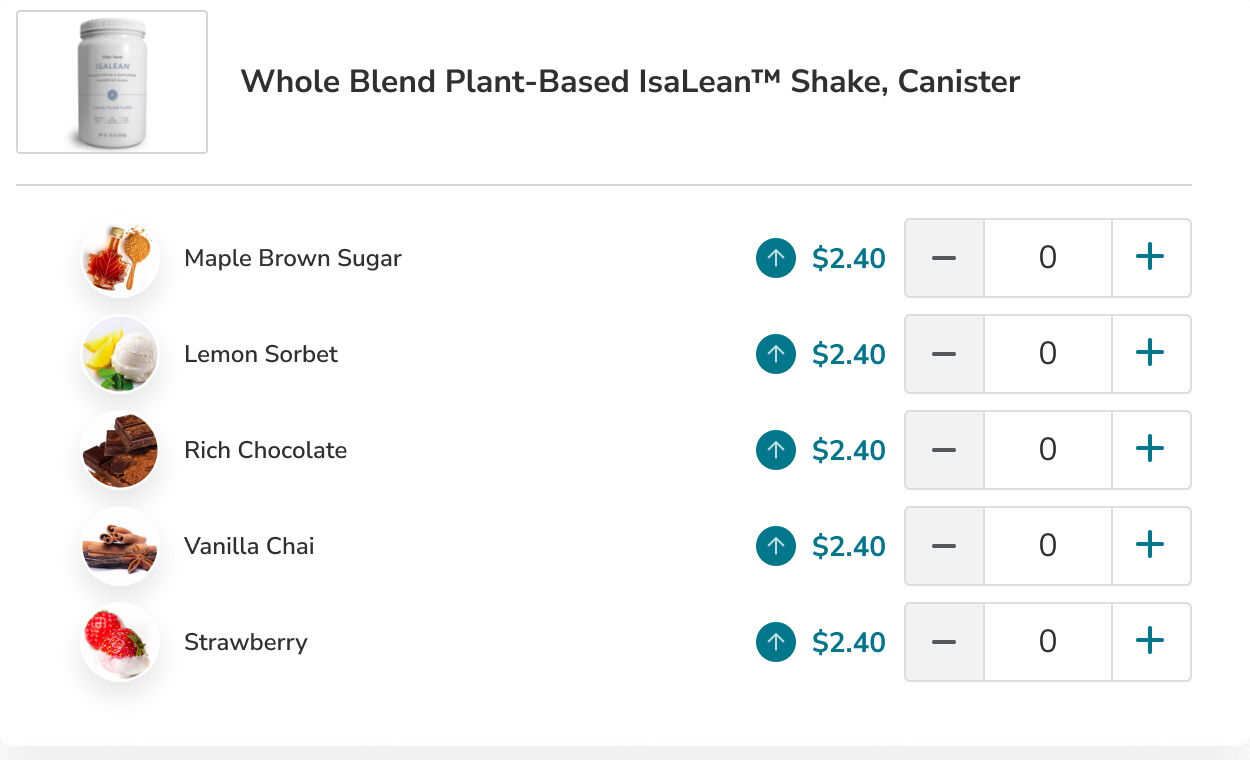
Upcharge beside the option; base price and primary action stay in the footer—so cost is compared with the choice, not only at the pack total.
Detail / Desktop start over
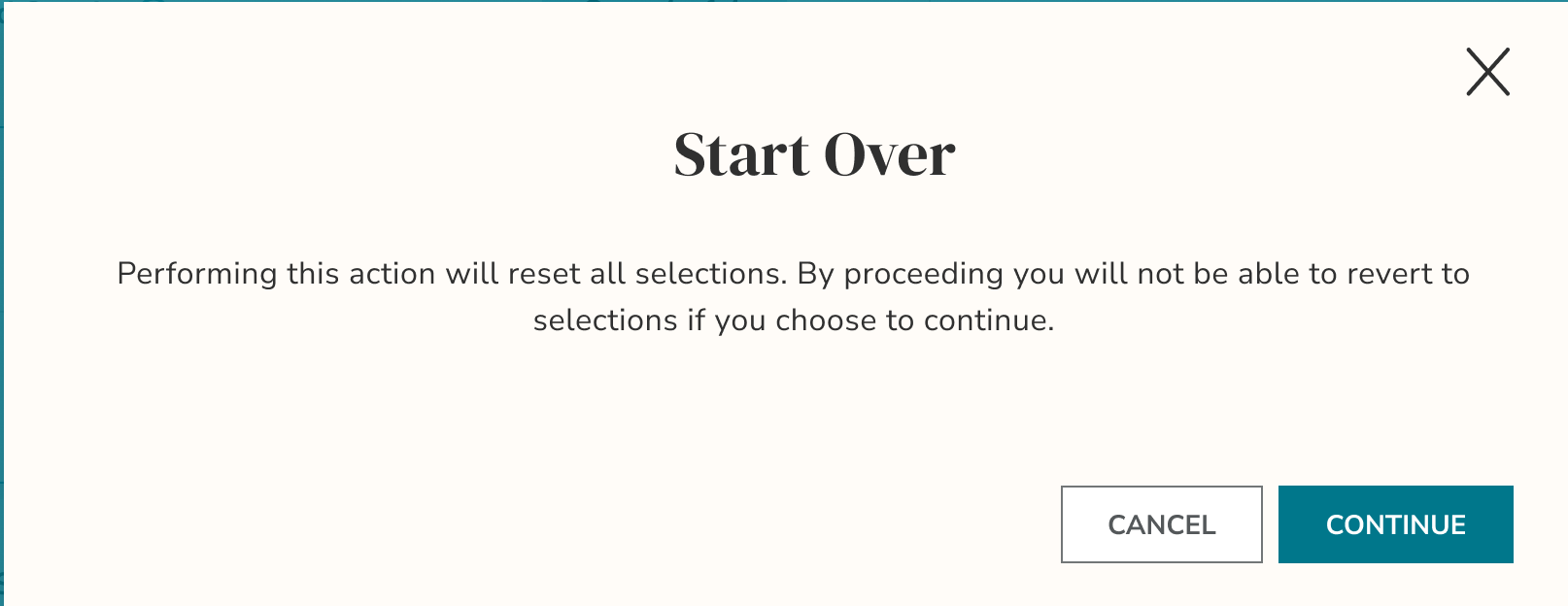
Warn before clearing; keep Cancel / Continue. Category Edit remains for smaller changes.
Detail / Category-level edit
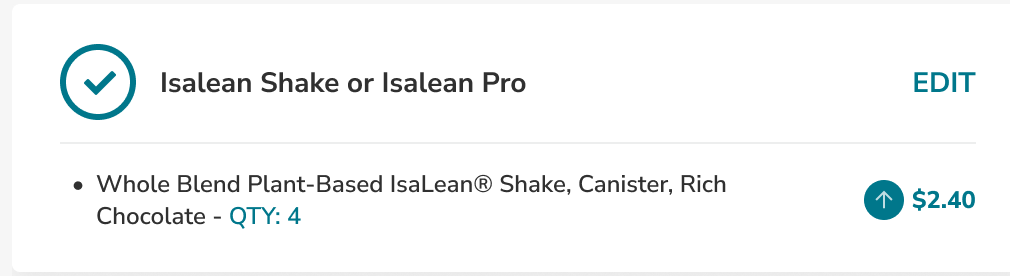
One category can change without restarting the pack; the rest of the summary stays as context.
06 / Mobile, recomposed—not reduced.
Mobile shouldn’t inherit a squeezed desktop side rail—it needs its own hierarchy for review, selection, and moving on.
Before / Evidence limit
Original mobile screen not available in the supplied designs
Documented legacy pattern—not a mobile screenshot.
Desktop showed a narrow checklist, dense modal, and repeated variant cards. Those are the patterns to reconsider—not proof of the original mobile UI.
After / Review
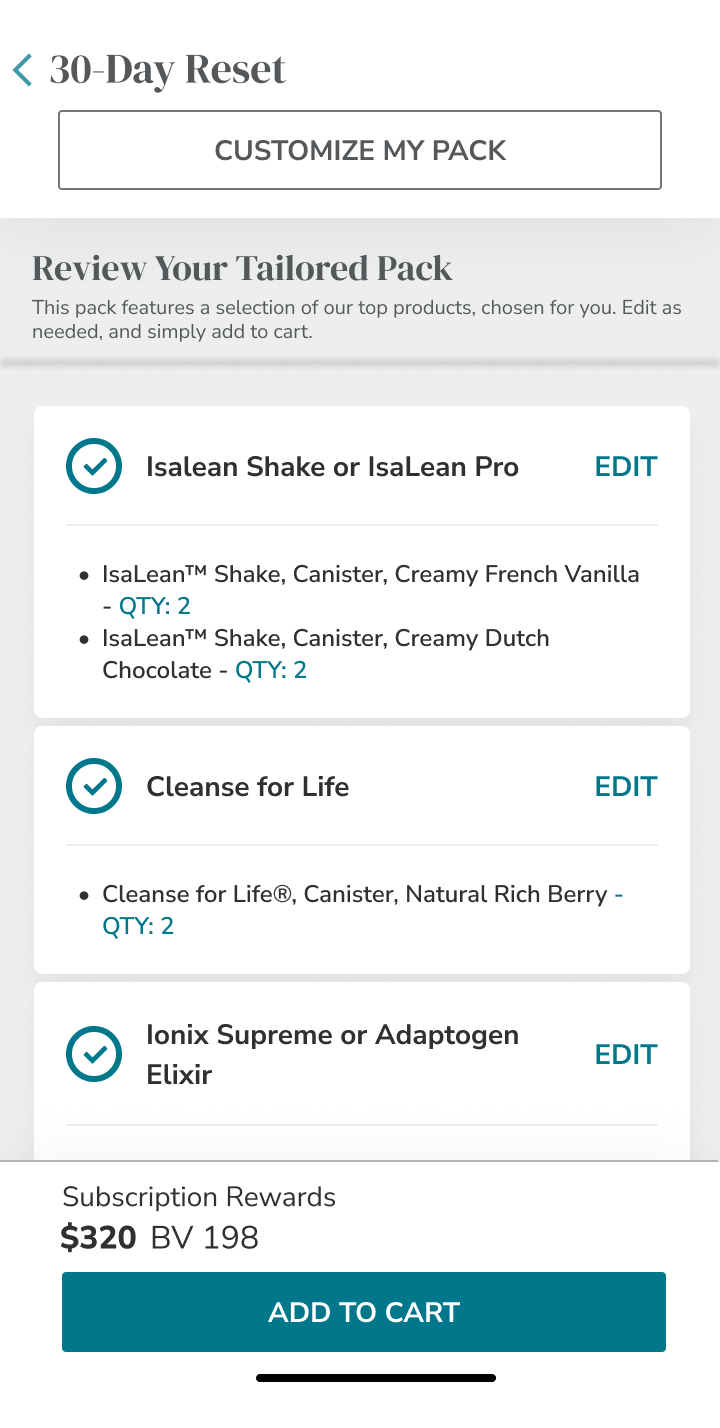
Stacked categories stay editable; custom path remains available.
After / Configure
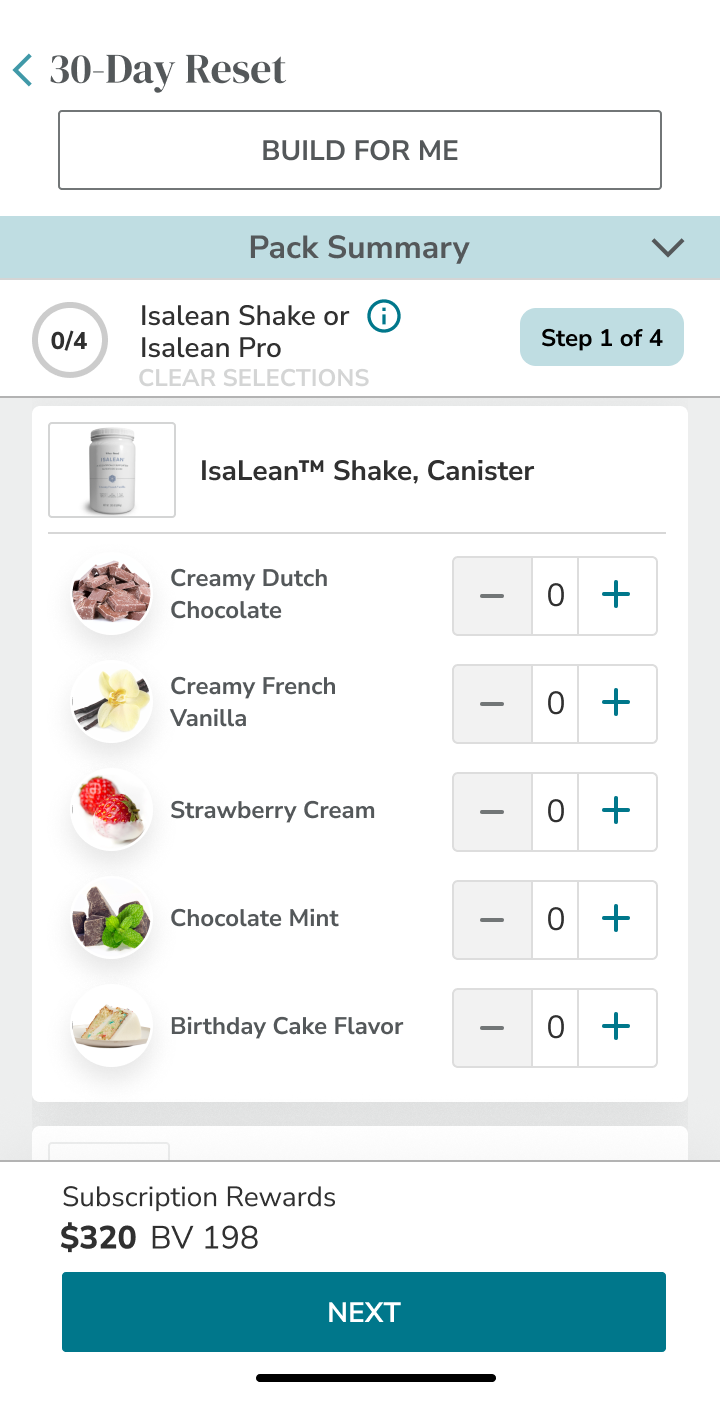
Side summary becomes a compact affordance above the active category; step and count stay near the controls.
After / Category step
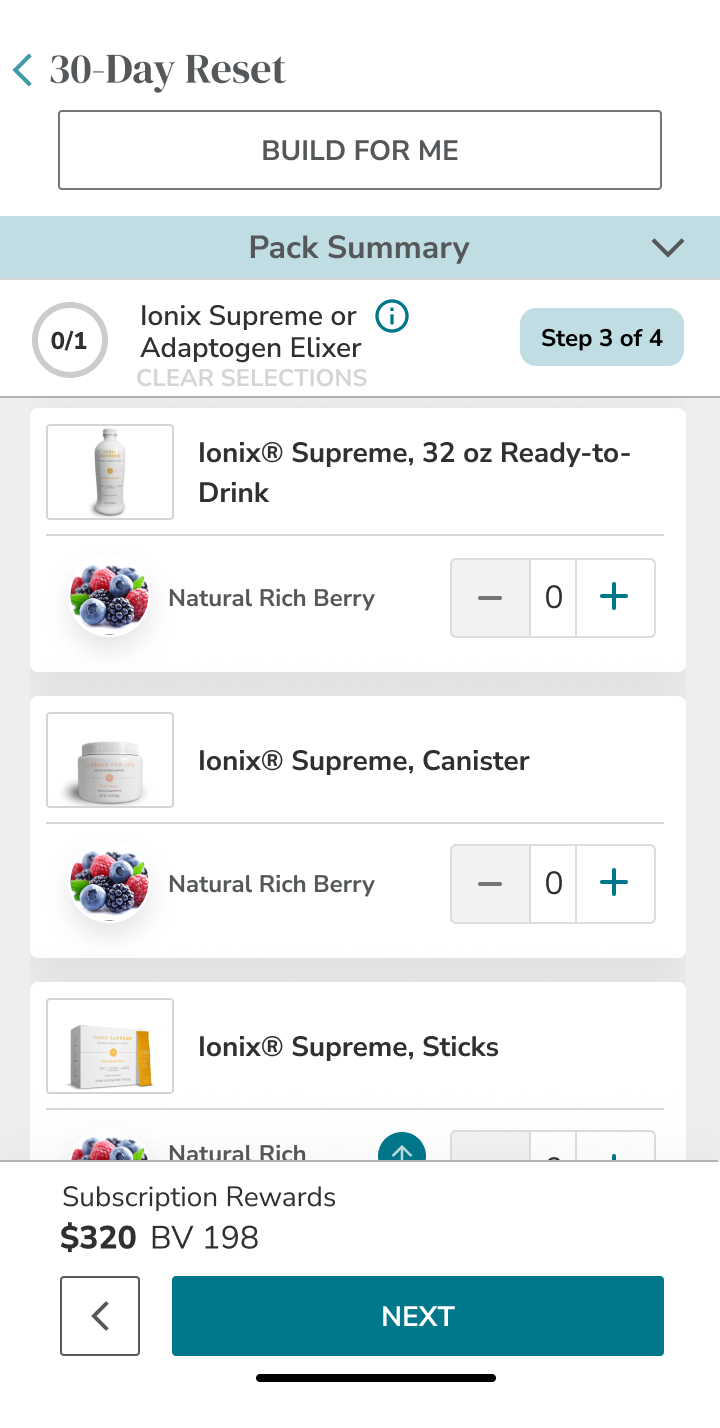
Active category owns the screen; price and primary action stay in the footer, including local option pricing.
Compact summary, stacked groups, step/count near controls, price + action in the footer.
Progression stays reachable across a long set of choices.
The screens are evidence of intended responsive design, not proof of implemented expansion, fixed positioning or interaction behavior.
07 / What improved—and how to validate it.
The supplied screens support a review of structure, hierarchy and intended controls. They do not establish a conversion or usability result.
Entry
A curated option existed alongside configuration.
Emphasize a complete tailored-pack review, category Edit actions and an explicit custom path.
Support both acceptance of the selection and preference-led customization.
Browsing
Separate large cards repeated product imagery for variants.
Group flavors by product family and format, with quantities inside the group.
Reduce repetitive scanning and make related options easier to compare.
Progress
Checklist, category counts and completed feedback already existed.
Make the current step explicit and enlarge the whole-pack summary.
Connect the active decision to selected / required counts and remaining work.
Mobile
No original mobile screen is available; desktop density is the documented concern.
Stack groups, compact the summary and retain step / count plus a price / action footer.
Preserve context and progression without relying on a desktop side rail.
Price / reset
A visible price and quantity controls were already part of the layout.
Put upcharges beside options, preserve the price footer and explain reset consequences.
Clarify cost trade-offs and distinguish targeted edits from resetting selections.
Compare the two designs using the same pack task and distinguish tailored from custom journeys. These are suggested measures, not achieved results.